
Troubleshooting
If something does not work, you will find a solution here:
PROBLEM: Ergonizer does not start after clean installation
- Problem
Ergonizer does not start after installation. It only shows the splash screen that closes immediately.
- Cause
A local virus checker or firewall sometimes block registration of the credentials for Ergonizer.
- Resolution
Please check the settings of your antivirus application or firewall and allow Ergonizer as a secure application. Alternatively, it is worth a try to transfer the installer file (
ErgonizerInstaller.exe) to an external USB-Device and start it from there.
Important
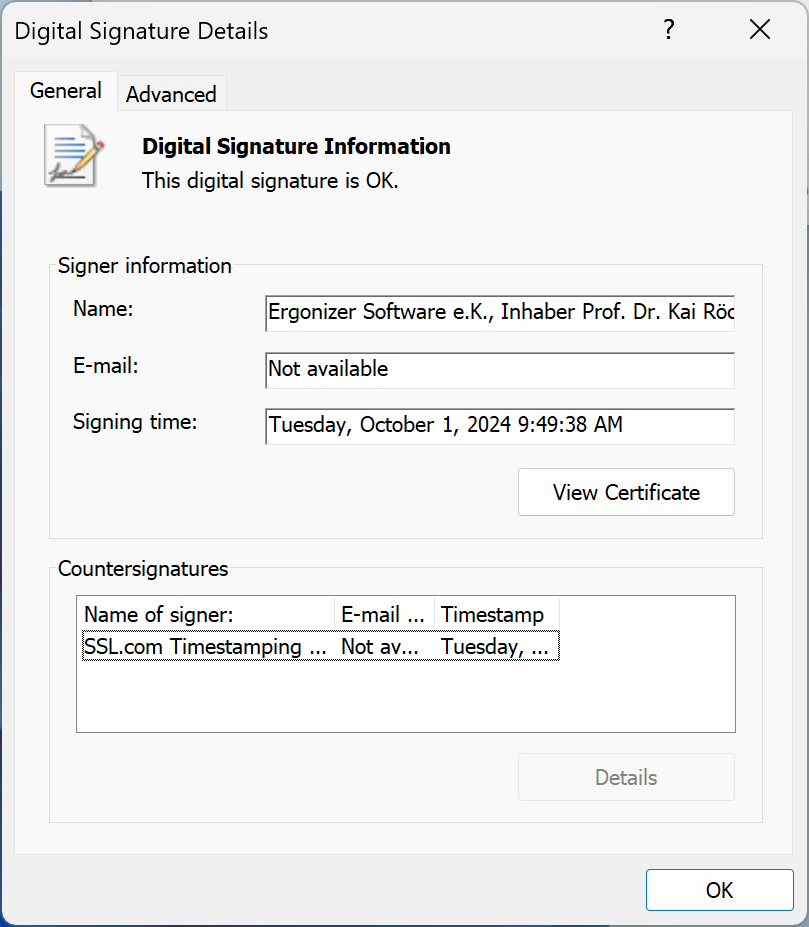
All relevant files of Ergonizer have a digital signature, that is explicitly accepted by the Microsoft security settings, but may not by some third-party virus checkers. You are free to find the digital signatures via (see the screenshot below). Please contact us if you are not sure whether a signature you found is originated by our company.
PROBLEM: During the update process, the installation path stays empty
- Problem
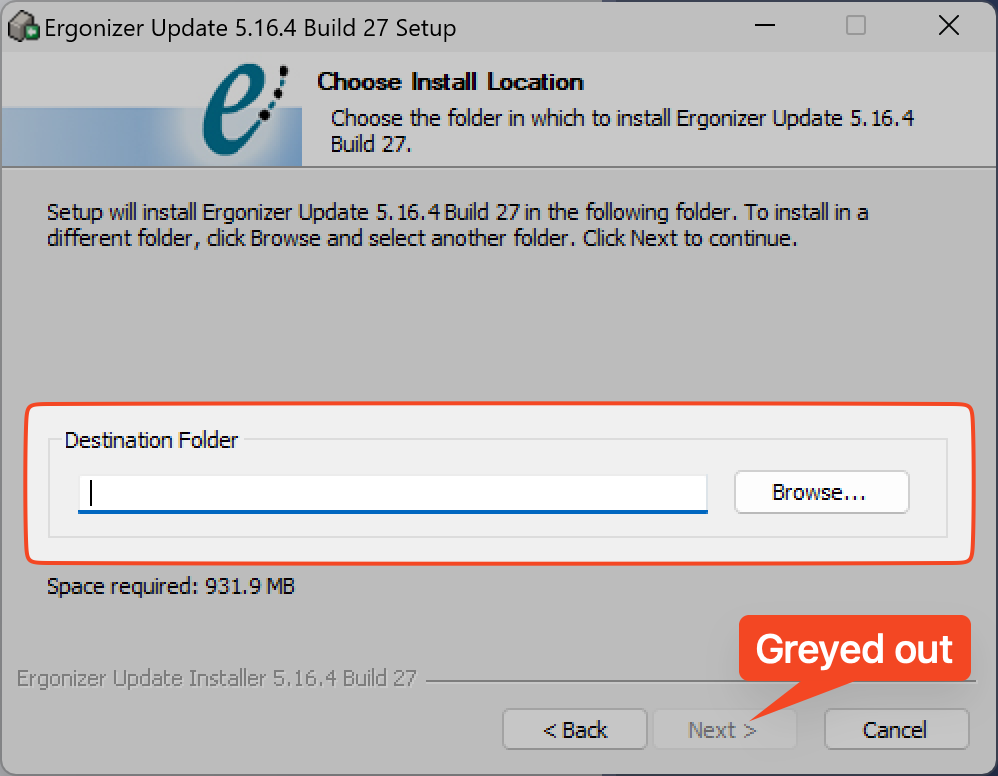
If you are running the Ergonizer updater, the update path
Destination Folderis empty and the buttonNextis greyed out.
- Cause
An active licensed Ergonizer installation is a prerequisite for the installation of an update. The installation routine checks for such an active Ergonizer installation on your PC. Without a full installation, no updates can be performed and the destination folder field remains empty.
- Resolution
If you think to have an active licensed installation of Ergonizer on your system, please provide the installation path manually. Alternatively, you can click the button Browse... to select that path from a dialog. Anyway, if the path does not point to an active and licensed Ergonizer installation, the update cannot be installed. In such a case, you need to cancel the update process and to perform a full installation. For such a full installation, you can use the installer file
ErgonizerInstaller.exethat you have downloaded before. If you don’t have access to an recent full installer, please install the older version and update afterwards.